

About Spiral Player
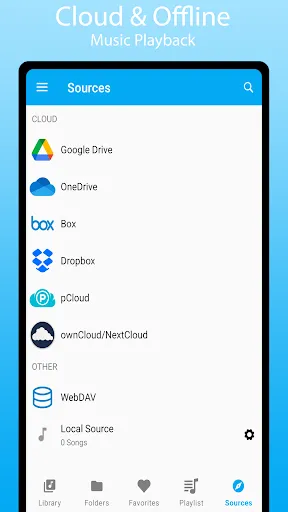
Spiral Player MOD APK is a music player that can play songs stored on your phone or in cloud storage. You can use it as an offline music player by opening music files saved on your device, or connect cloud services such as Google Drive, Dropbox, OneDrive, Box, pCloud, ownCloud, NextCloud and WebDAV to stream music without downloading everything first. If you want to listen without an internet connection later, you can download songs or folders from the cloud and keep them on your device for offline playback.
Listen to Your Music
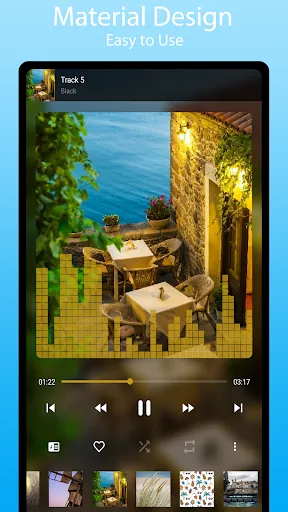
The app supports many popular audio formats, including high-quality lossless FLAC files. You can play songs one after another, repeat a single song, repeat the whole playlist or shuffle your music. There are also options to change the playback speed, skip silent parts in audio files and use a sleep timer that stops the music after a certain amount of time. If your music files include lyrics, the app can also display them while the song is playing.
Connect Cloud Storage
One of the main features of the app is cloud music support. After connecting your cloud accounts, you can browse your music library and stream songs directly from those services. You can also download songs and folders if you want to listen offline later. The app can sync your music library with connected accounts and has a Downloaded Only mode that shows only the files already saved on your device. It can also hide duplicate songs if the same file appears in more than one location.
Change the Sound
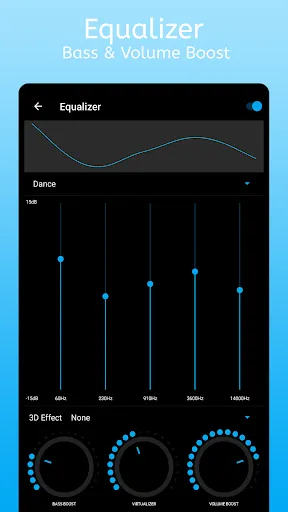
The app includes several audio tools that let you change how your music sounds. It has an equalizer with bass boost, volume boost, virtualizer and 3D audio effects. If your phone already has a system equalizer, the app can also use that instead. These options allow you to adjust the sound based on your headphones, speakers or personal preference.
Customize the App
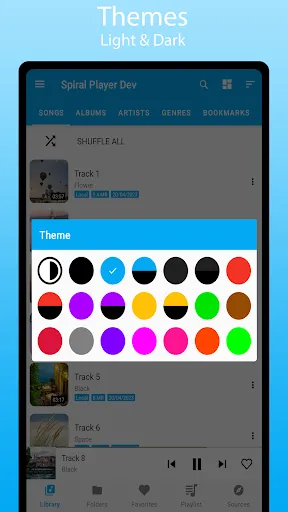
Spiral Player has many settings that let you change the way the app looks. You can choose between light mode and dark mode, change themes, adjust how music is displayed and choose different sorting methods. You can also decide whether album artwork is shown, customize playback notifications and change several other parts of the interface. This gives users more control over how the app looks while they are using it.
Edit Music Files
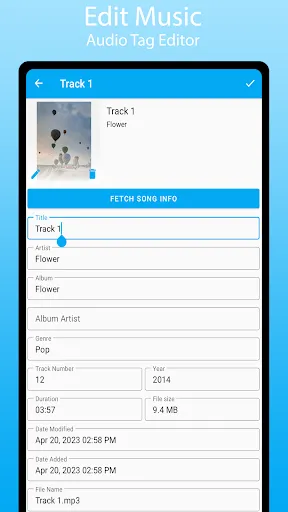
The app includes a tag editor that lets you change information stored inside audio files. You can edit the song title, artist name, album name and album artwork. This makes it easier to organize a music collection, especially if some files have missing or incorrect information.
Playlists and Library
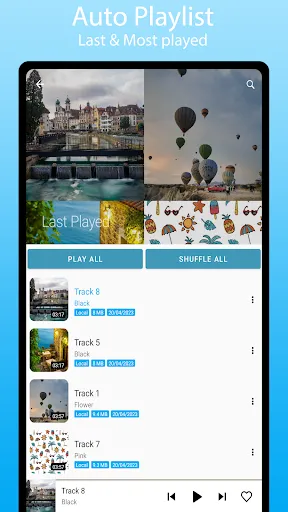
You can create playlists from songs, albums or folders. The app also creates automatic playlists, such as Last Played and Most Played, based on your listening history. If there are songs or folders that you do not want to appear in your library, you can add them to a blacklist. The app also includes backup and restore features so you can save playlists, favorites and other settings before moving to another device or reinstalling the app.
Cast Music
Spiral Player supports Chromecast, allowing you to send music to compatible wireless devices. You can cast songs stored on your phone or stream supported music directly from connected cloud services to another device. This makes it possible to listen through speakers or televisions that support Chromecast instead of only using your phone.


