


DWG FastView MOD APK has a lot going on, but the basic idea is pretty simple: it lets you open, view and edit CAD drawings directly from your phone. You can work with 2D and 3D files, measure objects, change layers, add dimensions, convert drawings and share them without needing to sit in front of a computer all the time. It supports DWG and DXF as well as many 3D formats, so it can be useful for checking drawings when you are away from your usual CAD setup.
Introduction to DWG FastView
You can open a CAD drawing as soon as you install the app, and no registration is required just to start using it. DWG and DXF files are supported, including different AutoCAD versions, and you can work with drawings saved on your phone even when you are offline.
The app is not limited to simple viewing either. You can create and edit drawings, measure objects, add dimensions, search for text and work with layers. There are also tools for moving, copying, rotating and scaling objects, so you can make actual changes instead of only looking at a drawing.
When you have files stored somewhere else, DWG FastView can open drawings from services such as Google Drive, Dropbox, OneDrive, Box and WebDAV. You can then work on the files and share them again when you are finished.
Work With 2D CAD Drawings
For normal 2D work, DWG FastView gives you quite a lot of the tools you would expect from a CAD app. You can draw lines, circles, arcs, rectangles and polylines, as well as add text and other notation to a drawing.
There are also editing tools such as trim and offset, along with measurement and dimension options. You can change the coordinate precision and choose how distance and angles are displayed, which is useful when you need more exact measurements instead of just checking the general shape of something.
Zooming is handled with the usual two-finger gesture, so looking around a large drawing on a phone does not take much effort. You can also add fonts and symbols to the font folder when a drawing uses something uncommon that is not already available.
3D Modeling and Viewing
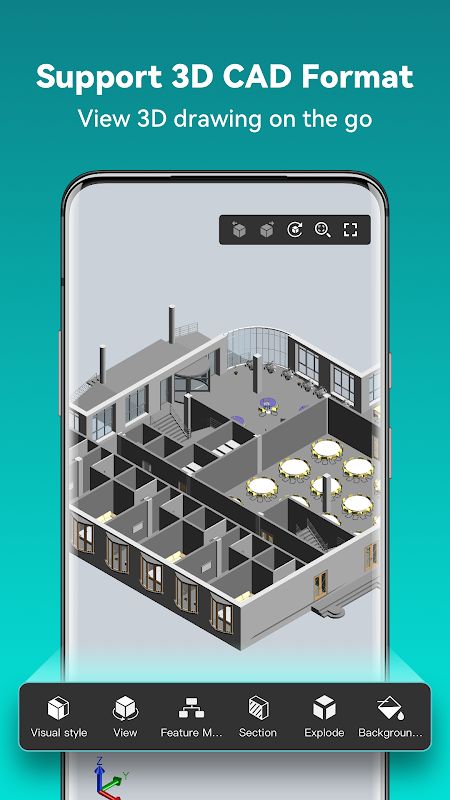
DWG FastView can also handle 3D models from different CAD programs. It supports formats from software such as Revit, SolidWorks, NX, CATIA, Inventor and Solid Edge, along with many other 3D file formats.
You can rotate a model around the screen to look at it from different angles, zoom in on parts and switch between several viewing modes. There are options such as 3D Wireframe, Realistic and 3D Hidden, and you can use different perspectives depending on what you are checking.
A magnifier is available too. Touch an area of the drawing and it can show a larger view of that part, which is handy when you are trying to inspect a small detail on a phone screen.
Measure and Edit Your Drawings
Measurements can be taken directly inside the app, including distances between points, lines and surfaces. In 3D, you can also measure things such as arc lengths and other parts of a model.
DWG FastView supports different coordinate systems as well. You can work with absolute, relative and polar coordinates for 2D drawings, while 3D work also supports spherical and cylindrical coordinates.
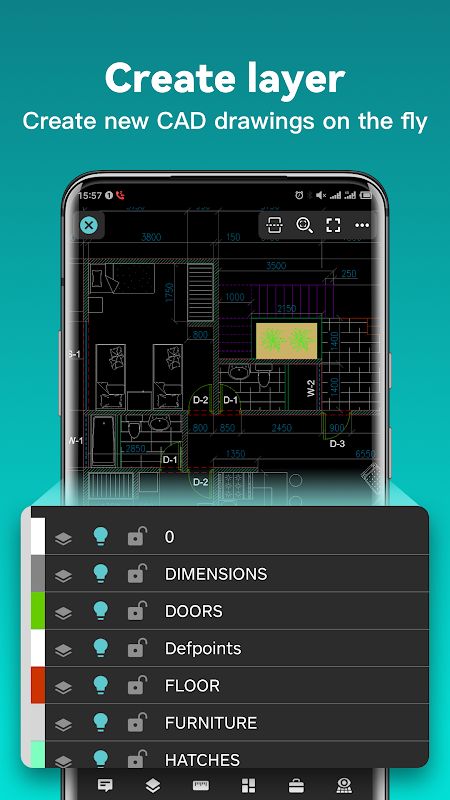
There is also a layer system and Layout support, so you can manage drawings in a way that feels closer to working with CAD software on a larger screen. You can move objects, change their colors, rotate them or scale them while editing.
Convert and Share CAD Files
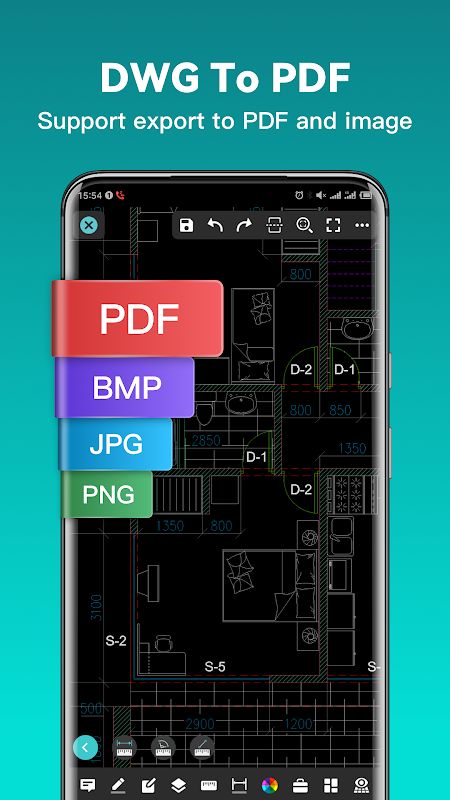
You do not have to keep everything as a DWG or DXF file. DWG FastView can export drawings to PDF, BMP, JPG and PNG, which makes it easier to send a drawing to someone who does not need the original CAD file.
When exporting to PDF, you can change things such as paper size, orientation and color. The app also supports converting between different CAD versions and can convert PDF files back into DWG.
Once you have the file you need, you can share it with other people directly. This is useful when you need to send a drawing quickly from your phone rather than moving back to a computer first.
Work Offline and Sync to the Cloud
One useful part of DWG FastView is that you can save drawings locally and keep working without an internet connection. This means you can still open and edit files when you are somewhere without a stable connection.
Cloud storage is there when you do have internet access. You can open drawings from supported cloud services, work on them and share the updated files afterward.
The app is also cross-platform, so you can use it across different devices and synchronize drawings through the cloud when needed.
MOD APK Version of DWG FastView
MOD Feature
Premium Unlocked
Download DWG FastView MOD APK for Android
DWG FastView is a full CAD app for Android rather than just a simple DWG viewer. You can open and edit 2D drawings, work with 3D models, measure objects, manage layers, add dimensions, create new shapes and search for text directly from your phone. It supports DWG and DXF as well as many formats used by Revit, SolidWorks, CATIA, NX, Inventor and other CAD software, while PDF, JPG, PNG and BMP export makes sharing easier. You can also work offline, open drawings from cloud storage and switch between different 2D and 3D viewing modes when checking a project. Download DWG FastView MOD APK for Android and keep your CAD drawings ready to view and edit wherever you are.


