

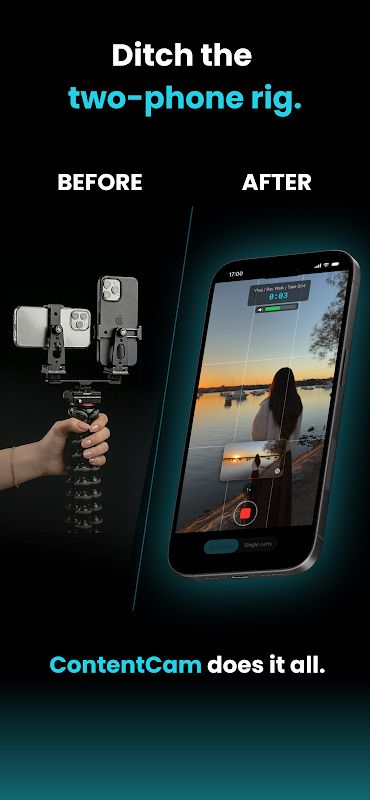
ContentCam MOD APK is a video camera app designed for creators who need both portrait and landscape videos from the same recording. With one tap, the app can create two separate files so you can use the same shoot for TikTok, Reels, Shorts, YouTube, and other platforms. You can record with a single lens, use the front and rear cameras together, or switch to the selfie camera while keeping both video formats. It also includes manual controls, a teleprompter, stabilization, timelapse, and several tools for making the recording process easier.
Introduction to ContentCam
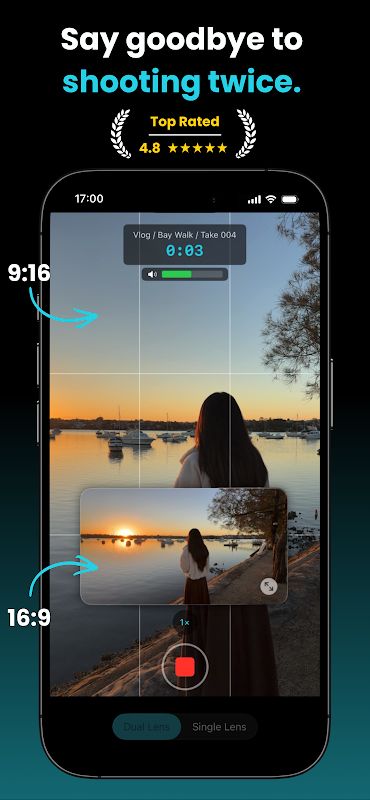
ContentCam focuses on solving a common problem for people who publish videos on different platforms. Instead of recording a video once and then cropping or shooting it again for another format, the app can record portrait and landscape video at the same time.
One of the main highlights is the Single Lens mode. A single camera captures the full 4:3 sensor and creates both portrait and landscape files from the same recording. The two results are not simply one cropped version of the other, so each format keeps the view that fits its orientation.
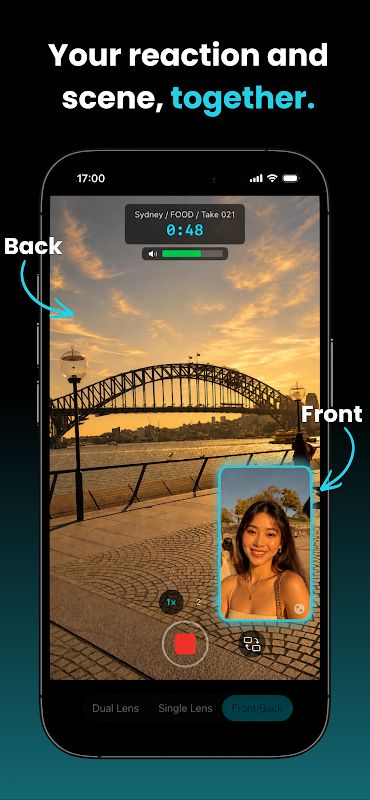
The app also provides Front & Back mode, where the selfie and rear cameras record together. This gives you two separate files at the same time, which can be useful for recording your reaction and the scene in front of you. The rear camera can be set to portrait or landscape, while the selfie camera stays vertical.
Record Videos for Different Platforms
ContentCam is especially useful when you create content for both short-form and long-form platforms. A single recording can give you a vertical version for TikTok, Reels, or Shorts and a horizontal version for YouTube, so you do not need to arrange another shoot later.
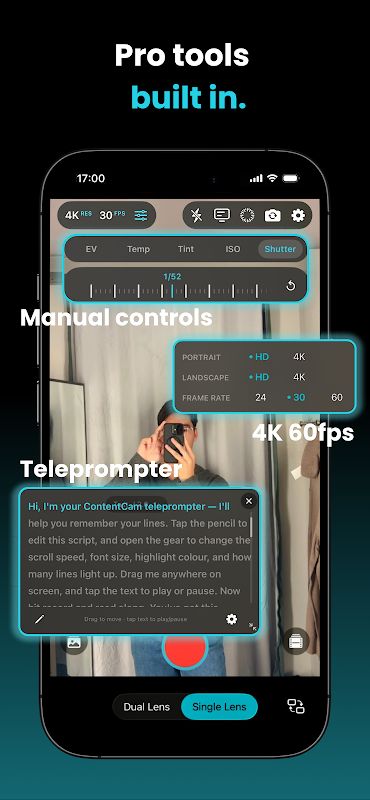
You can choose between HD and 4K, while portrait and landscape resolution can be configured independently. Frame rates of 24, 30, or 60fps are available depending on the device and selected settings.
The app also provides several camera controls that give you more freedom during recording. You can adjust exposure, white balance, ISO, and shutter speed, while tap-to-focus makes it easier to control where the camera should focus. Zoom can be changed with buttons, pinch gestures, or the dial.
In general, the more control you need over your footage, the more useful these settings become. Beginners can keep the default options, while more experienced users can manually adjust the camera to match the scene.
Teleprompter, Stabilization, and Timelapse
ContentCam includes a built-in teleprompter for users who need to follow a script while recording. You can change the scrolling speed, text size, color, and mirror settings, making it easier to position the script in a way that works for your recording setup.
Stabilization is enabled by default to help keep handheld footage steadier. This can be useful when you are recording without a tripod or moving around during a vlog, tutorial, travel video, or other type of content.
Timelapse is also available with intervals from 0.5 seconds to 30 seconds and speedups from 10x to 900x. This gives you another way to record longer activities and turn them into shorter videos without needing a separate application.
The recording screen also includes several guides such as a composition grid, level indicator, center crosshair, and audio meter. The audio meter pulses red when the sound is clipping, helping you notice recording problems while you are still shooting.
Organize Projects and Protect Your Recordings
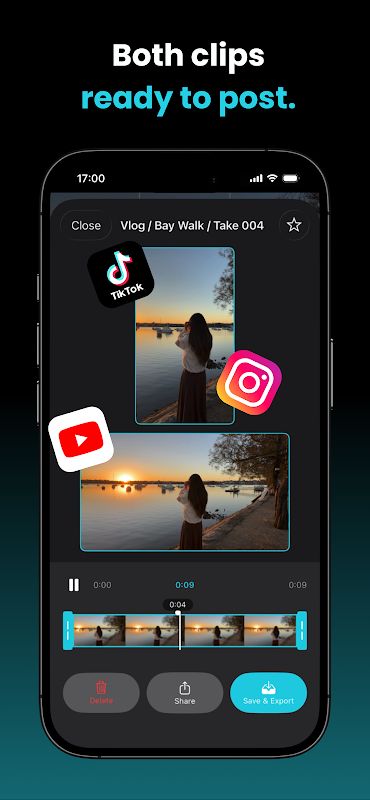
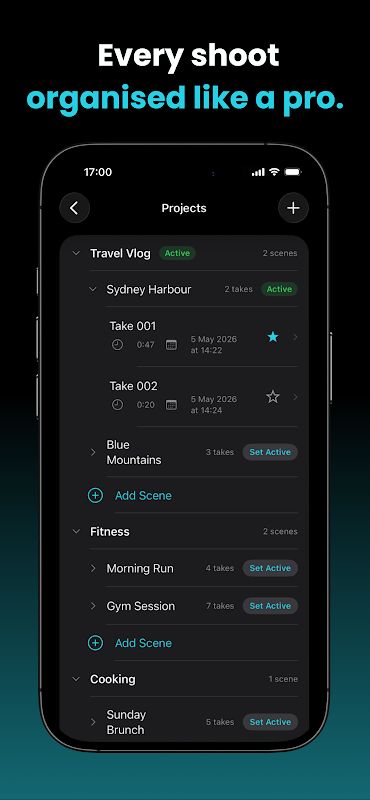
ContentCam provides a simple workflow for organizing your videos through projects, scenes, and takes. Files can be named automatically, and you can review, trim, export, favorite, or share your recordings whenever you need them.
The review screen lets you play both clips side by side with a synchronized scrubber. You can move through the recording and trim the clips down to the exact frame you want, which makes it easier to prepare both versions of the same video.
Another useful feature is the storage estimator. Before you begin recording, you can check approximately how long your device can continue recording based on the available space. Crash protection also helps recover an interrupted recording when you launch the app again.
ContentCam includes thermal monitoring as well. If the device becomes too hot during recording, the app can show a warning and automatically stop the recording before overheating becomes a bigger problem.
Premium Features of ContentCam
ContentCam Premium unlocks several advanced tools for users who need more from the camera. Front & Back mode is included, together with unlimited takes and support for 4K portrait and landscape recording independently.
Premium also adds 60fps recording, manual exposure controls, white balance, ISO and shutter settings, as well as the teleprompter and timelapse tools. You can trim videos during review and create unlimited projects without the restrictions of the standard version.
One important point is that Front & Back mode depends on the phone’s camera hardware. ContentCam checks the device and only provides this mode when the phone can actually run both cameras at the same time. Everything else is available without requiring an account, and the app states that it does not track users or collect their data.
MOD APK Version of ContentCam
MOD Feature
Premium Unlocked
Download ContentCam MOD APK for Android
ContentCam is a useful video camera app for creators who want to record once and get both portrait and landscape videos from the same shoot. You can use a single lens, record with the front and rear cameras together, or switch to the selfie camera while keeping both formats. The app also provides HD and 4K recording, different frame rates, manual camera controls, stabilization, teleprompter, timelapse, recording guides, project management, synced review, storage estimation, crash protection, and thermal monitoring. Premium unlocks Front & Back mode, unlimited takes and projects, 4K recording, 60fps, manual controls, teleprompter, timelapse, and trim in review. Download ContentCam MOD APK for Android and record videos that are ready for both vertical and horizontal platforms from a single take.


