

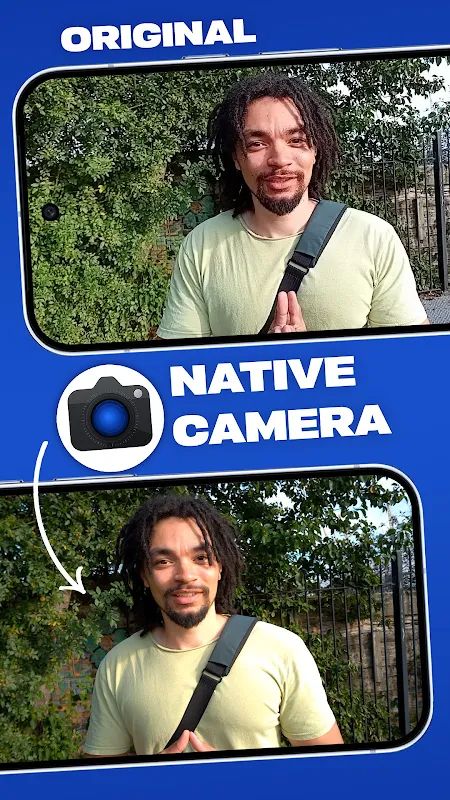
Native Camera MOD APK is a camera app for people who want more control over video recording than the default camera on their phone gives them. Instead of relying entirely on the processing from the phone manufacturer, it gives you manual controls for things like ISO, exposure, focus, white balance and stabilization. You can also choose different video formats, change the bitrate, switch between camera lenses and adjust the audio settings before you start recording.
Introduction to Native Camera
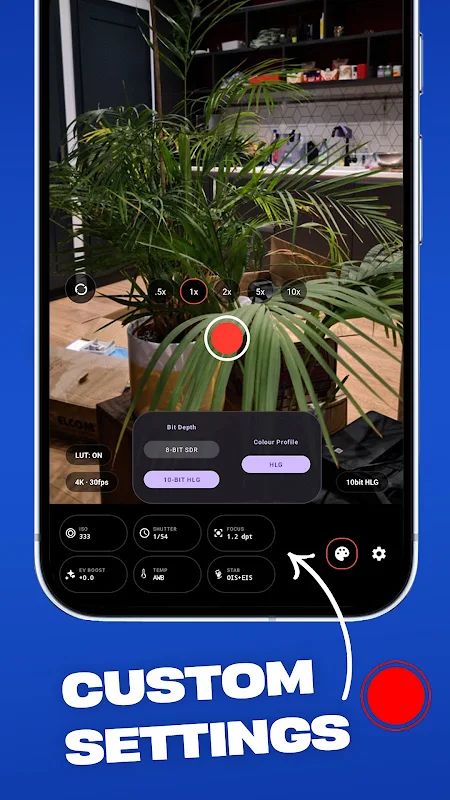
The main idea behind Native Camera is to give you more control over the camera hardware. You can open the app and change the settings you need from one screen, without going through a long list of menus.
For normal recording, you can use 8-bit SDR if you want something that works well with more devices and editing software. There is also 10-bit HLG HDR for users who want more dynamic range and more room to work with colors later.
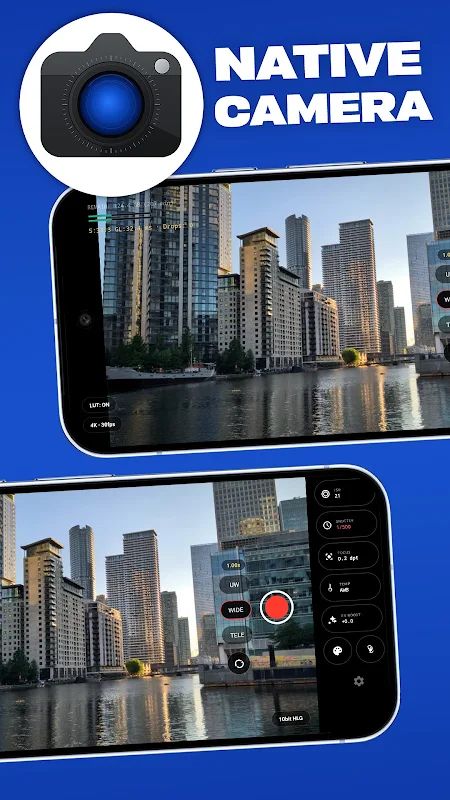
The app can also use different lenses on supported phones. You can switch between ultra-wide, wide and telephoto while seeing the current hardware status, which is useful when you are moving between different types of shots.
Record in 10-bit HLG HDR
One of the bigger features is 10-bit HLG HDR recording. Compared with standard 8-bit video, 10-bit gives you more color information to work with, which can be useful when editing footage later.
You can switch back to 8-bit SDR when you just want something simpler or need better compatibility. So you do not have to use HDR for every video you record.
The Pro upgrade unlocks the 10-bit HLG HDR mode on compatible devices. Support can still vary depending on the phone, since not every device gives third-party camera apps full access to its hardware.
Choose Your Own Bitrate
Native Camera also lets you control the video bitrate instead of being stuck with whatever setting the normal camera app chooses. A higher bitrate can keep more detail in the recorded video and give you cleaner footage when you plan to edit it afterward.
This is particularly useful if you spend time editing your videos on a computer or another device. You can choose a setting that suits the kind of footage you are recording instead of letting the camera decide everything automatically.
Custom high bitrates are part of the Pro features, so you need the unlocked version to use those options.
Manual Camera Controls
The app gives you manual control over exposure, ISO, focus and white balance. Stabilization modes can be adjusted too, so you can change the way the camera behaves depending on what you are shooting.
There is also a Boosted ISO mode for compatible devices. It can make the preview brighter in darker situations, which helps when the normal viewfinder looks too dark to see much.
This can be useful for night scenes and other low-light shots, although the actual result still depends on the camera hardware in your phone.
Use Different Camera Lenses
Phones with multiple cameras can use the available lenses through Native Camera. You can switch between ultra-wide, wide and telephoto when your device supports them.
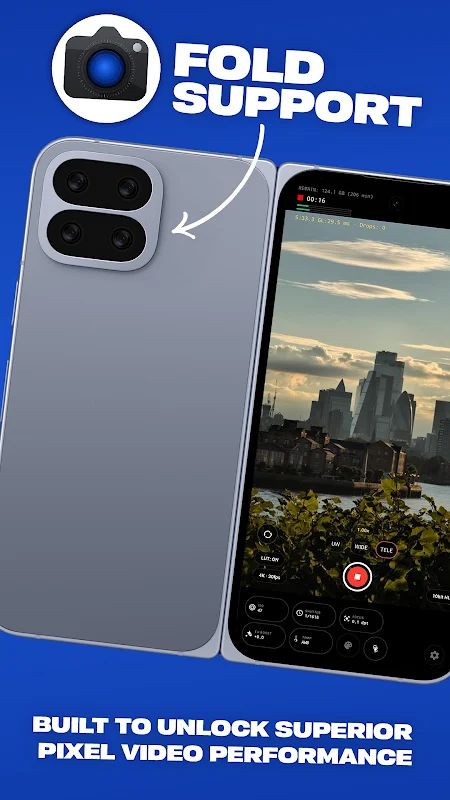
The app shows the hardware status in real time, so you can see which camera is currently being used. You can also pinch the screen to zoom in or out while recording.
Not every phone exposes all of its cameras to third-party apps, though. Native Camera mentions that some devices may need compatibility or direct modes to get certain functions working.
Control Your Recording Audio
Native Camera has a few audio options for video recording as well. You can choose between stereo and mono recording, depending on what you need for the particular video.
For the microphone, you can use the phone’s built-in mic, a USB microphone or a Bluetooth headset when supported. This gives you more choice when the built-in microphone is not what you want to use.
It is a small part of the app compared with the video controls, but it can make a difference when you are recording something where sound matters.
Save Everything Locally
Native Camera keeps recorded videos on your phone instead of sending them to an online account. The files are saved locally in the DCIM/NativeCamera folder.
There is no account sign-up required, and the app says it does not track your activity. This also means your recorded files stay on the device unless you decide to move or upload them somewhere yourself.
It keeps the whole recording process pretty direct: record the video, save it locally and edit or share it later.
MOD APK Version of Native Camera
MOD Feature
Premium Unlocked
Download Native Camera MOD APK for Android
Native Camera gives you more control over mobile video recording with manual exposure, ISO, focus, white balance and stabilization settings, along with support for multiple lenses and different audio sources. You can record in 8-bit SDR or use 10-bit HLG HDR on compatible devices, change the bitrate for better control over video quality, and use Boosted ISO when shooting in darker conditions. The app also keeps your recordings stored locally in the DCIM/NativeCamera folder without requiring an account. Download Native Camera MOD APK for Android with Premium Unlocked and get more manual control over your phone’s camera hardware.


