

Ice Box MOD APK not only helps your phone run smoother but also gives you absolute control over the installed apps. If you want a lightweight, low-power Android device that won’t be bothered by background apps, Ice Box is a reliable way to freeze everything you don’t need – and restart it when you really need it.
About Ice Box
Ice Box is a smart tool that helps users manage applications more effectively by “freezing” or hiding rarely used applications. When frozen, these applications will temporarily stop working, disappear from the home screen and no longer consume battery, data or system resources in the background. Ice Box is especially useful for those who want to optimize device performance, save battery and keep the interface neat and clean. The application works flexibly on both rooted and non-rooted devices, however, if your device is not rooted, you need to set up “Device Owner” permissions using a computer according to detailed instructions on the developer’s support page. Once completed, Ice Box will be able to control system applications, freeze or restore applications quickly without traditional root permissions.
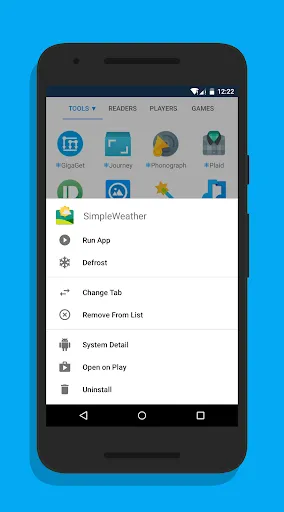
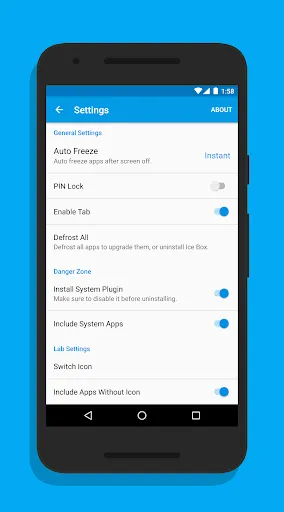
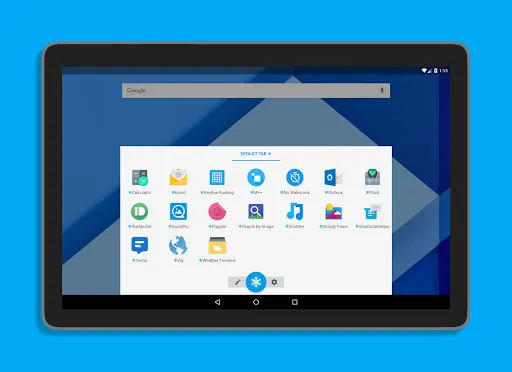
Ice Box’s strength lies in its ability to completely hide applications from the launcher while still keeping the original data intact. You can reopen these applications right in the Ice Box interface – the operation is similar to opening a normal folder. When exiting or locking the screen, the application will automatically “freeze”, ensuring that it does not run in the background or slow down the device. With the touch and hold operation, users can easily run the application, freeze or unfreeze, view detailed information, open on Google Play or uninstall. Ice Box also supports the operation of selecting multiple applications at the same time, making management quick and convenient. In particular, the application also provides convenient shortcuts such as “Freeze All Apps”, “Freeze All + Lock Screen” or “Defrost & Run Specific App”, helping you perform operations with just one click. With an automatic mechanism and a minimalist interface, Ice Box becomes a lightweight and powerful application management tool for advanced users on Android.
Key Features:
- Freeze & hide applications: Prevent applications from running in the background, consuming battery and data.
- Quick Recovery: Reopen the app with just one touch from the Ice Box interface.
- Auto-freeze: The app will be frozen again when you exit or lock the screen.
- Root & Non-Root device support: For non-rooted devices, it can be activated via “Device Owner” permission using a computer.
- Smart management: Touch and hold to open, freeze, view details or uninstall the app.
- Utility shortcuts: Support shortcuts such as Freeze All, Freeze + Lock Screen, or quickly run specific apps.
- Security lock: Protect Ice Box with fingerprints for increased privacy.
- Integrated notifications & Quick Shortcut: Create quick actions on the notification bar or home screen.
- Minimalist interface: Intuitive design, easy to use, suitable for both newbies and advanced users.